Quick Answer: Google Gemini is Google’s AI assistant, available as a free app at gemini.google on web, iOS, Android, and now Mac desktop. It can write, research, summarize, generate images and video, answer questions, and — as of June 2026 — proactively manage tasks on your behalf through a new agent called Gemini Spark. Getting started takes less than two minutes with any Google account.
What Is Google Gemini?
Google Gemini is Google’s flagship AI assistant — a powerful, conversational tool that can understand and generate text, images, video, code, and audio. It’s built on a family of large language models (also called Gemini models) that power everything from the Gemini app to Google Search, Gmail, Docs, and Android.
If you’ve heard of ChatGPT or Claude, Gemini is Google’s equivalent — with one significant advantage: deep, native integration across the tools billions of people already use every day, including Google Search, Gmail, Google Drive, Docs, Sheets, and YouTube.
As of June 2026, Gemini has over 900 million monthly active users and is evolving rapidly — moving well beyond a simple question-and-answer tool toward a proactive AI system that can take action on your behalf.
What’s New: Google I/O 2026 Updates
Google held its annual developer conference (Google I/O) on May 19, 2026, and the Gemini announcements were significant. Here’s what changed for everyday users:
Gemini 3.5 Flash: The New Default Model
Gemini 3.5 Flash is now the model powering the Gemini app. It combines frontier intelligence with the ability to perform agentic tasks, surpasses 3.1 Pro in coding, agentic, and multimodal benchmarks, and runs at 4x faster output speed than other frontier models. In plain terms: the free version of Gemini just got significantly smarter and faster.
Gemini Spark: A 24/7 Personal AI Agent
The most ambitious announcement from I/O 2026. Gemini Spark is a 24/7 cloud-based AI agent that can proactively handle tasks on your behalf even after you close your laptop or lock your phone. It’s deeply integrated with Workspace apps like Gmail, Docs, and Slides.
Google shared examples like parsing credit card statements to identify hidden subscriptions, monitoring school emails for deadlines, creating daily digests for families, and automatically turning scattered meeting notes into polished Docs and draft emails.
Spark is currently a US-only beta, limited to Google AI Ultra subscribers at $100/month. Google hasn’t announced a timeline for international availability.
Daily Brief: Your Personalized Morning Digest
Google’s Daily Brief feature is a personalized digest designed to be your first stop each morning. It pulls together information from a user’s inbox, calendar, and most important tasks, and organizes them into a clear overview. It also suggests next steps, surfacing the most pressing items first.
Daily Brief runs overnight and delivers a personalized morning summary. It pulls emails and calendar events, reasons about them based on your goals, and organizes them into a skimmable briefing with suggested next steps. It’s rolling out to Google AI Plus, Pro, and Ultra subscribers in the US.
Neural Expressive: A Redesigned App
The Gemini app received a Neural Expressive redesign, with updated animations, typography, and a microphone that handles longer, uninterrupted speech. The redesign folds Gemini Live, the voice conversational interface, directly into the core experience, allowing users to switch between typing and speaking without breaking context.
Gemini Omni: Video Creation from the Chat Interface
Gemini Omni is a new model that can seamlessly transform text, images, and video prompts into cinematic, high-quality video outputs. It’s available to paid subscribers and marks a significant upgrade to Gemini’s creative capabilities.
How to Access Google Gemini
Getting started is straightforward. Gemini is available across multiple platforms:
| Platform | How to Access | Cost |
|---|---|---|
| Web | gemini.google.com | Free |
| Android | Google Play Store | Free |
| iOS | Apple App Store | Free |
| Mac desktop | gemini.google/mac (macOS 15+) | Free |
| Google Search | AI Mode in Search | Free |
| Google Workspace | Inside Gmail, Docs, Sheets, Drive | Included in paid plans |
All you need is a Google account. If you have Gmail, you already have access — just go to gemini.google.com and sign in.
The new desktop app is available to users on macOS 15 and up, globally, for free. It’s designed to cut down on context switching and give users a faster, more integrated way to use Gemini alongside the tools they use every day.
Gemini Plans and Pricing (June 2026)
Gemini’s plans span from free to $249.99/month, with meaningful capability jumps at each tier. Here’s how they break down:
| Plan | Monthly Price (USD) | Best For | Key Inclusions |
|---|---|---|---|
| Free | $0 | Beginners and casual users | Gemini 3.5 Flash, Gems, Canvas, Gemini Live, Deep Research (5/mo), 15 GB storage |
| Google AI Plus | $7.99 | Light regular users | Expanded model access, 200 AI credits, 200 GB storage, Daily Brief |
| Google AI Pro | $19.99 | Professionals and regular users | Gemini 3.1 Pro (1M context), 1,000 AI credits, Veo 3.1 video, 5 TB storage |
| Google AI Ultra | $100 | Power users and heavy workloads | Gemini Spark (US beta), 20x higher usage limits, YouTube Premium Lite |
| Google Workspace | From $14/seat | Business teams | Gemini bundled into Gmail, Docs, Sheets, Drive, Meet |
All prices in USD. CAD prices vary by billing region. Confirm current pricing at one.google.com.
Google AI Pro is the sweet-spot plan for most users. At $19.99/month, it includes Gemini 3.1 Pro at the full 1M token context window, generous compute-based usage limits, 1,000 monthly AI credits, and 5 TB of cloud storage.
Google reduced the monthly price of its top-tier AI Ultra plan from $250 to $100. Users get a 20x higher usage limit in the Gemini app and Google Antigravity compared to the Pro plan.
A Tour of Gemini’s Core Features
1. Chat: The Starting Point
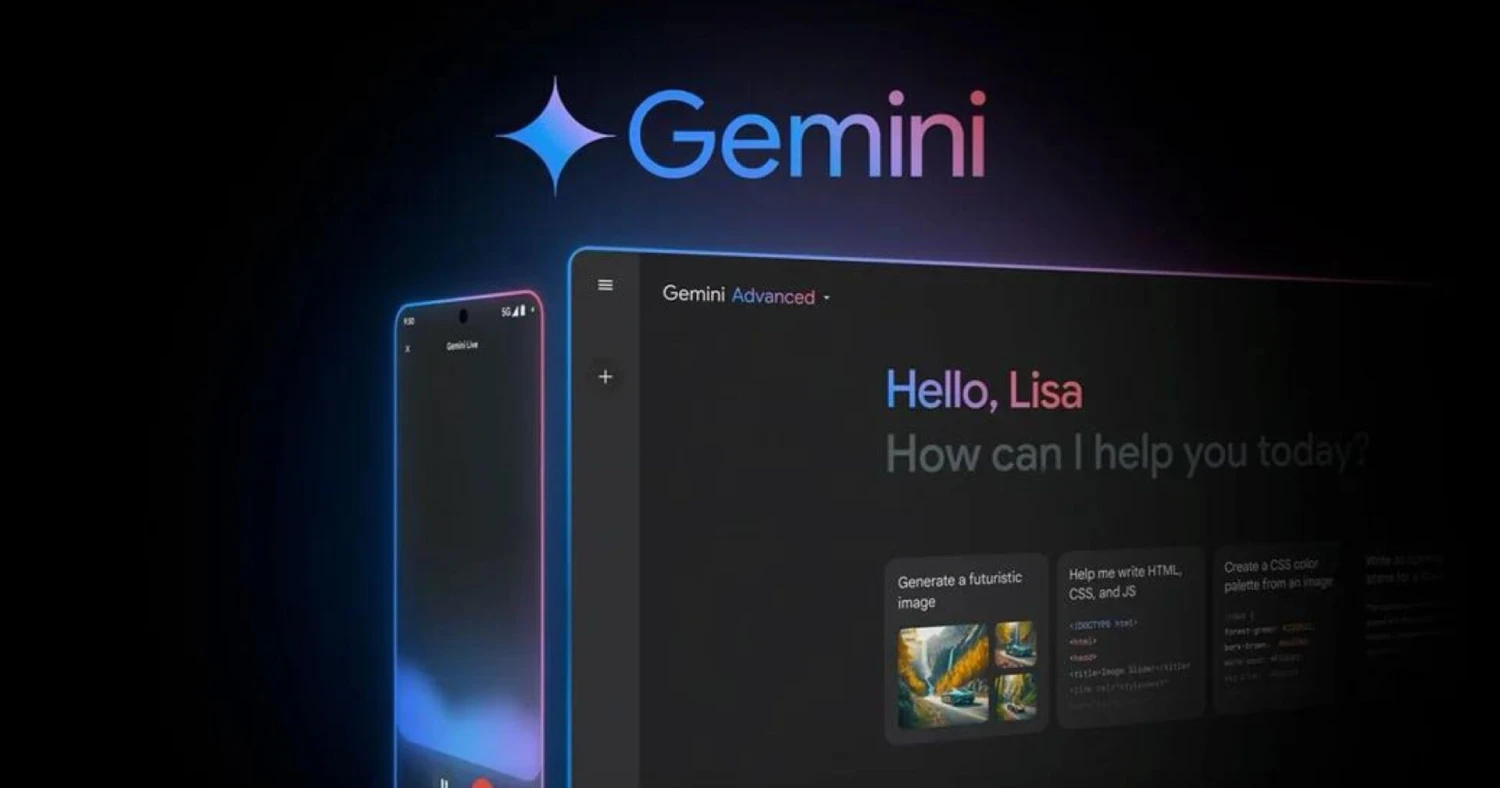
The core of Gemini is a conversational interface. Type a question, a task, or an idea — and Gemini responds. Unlike a traditional search engine, Gemini understands context across your conversation, so follow-up questions work naturally without repeating yourself.
You can attach files, images, PDFs, and links directly to your messages. Gemini reads and analyses them in real time.
Good starting prompts for beginners:
- “Summarize this document in five bullet points”
- “Write a professional email declining a meeting request”
- “Explain [topic] as if I’ve never heard of it”
- “What are the pros and cons of [decision I’m trying to make]?”
2. Gemini Live: Voice Conversations
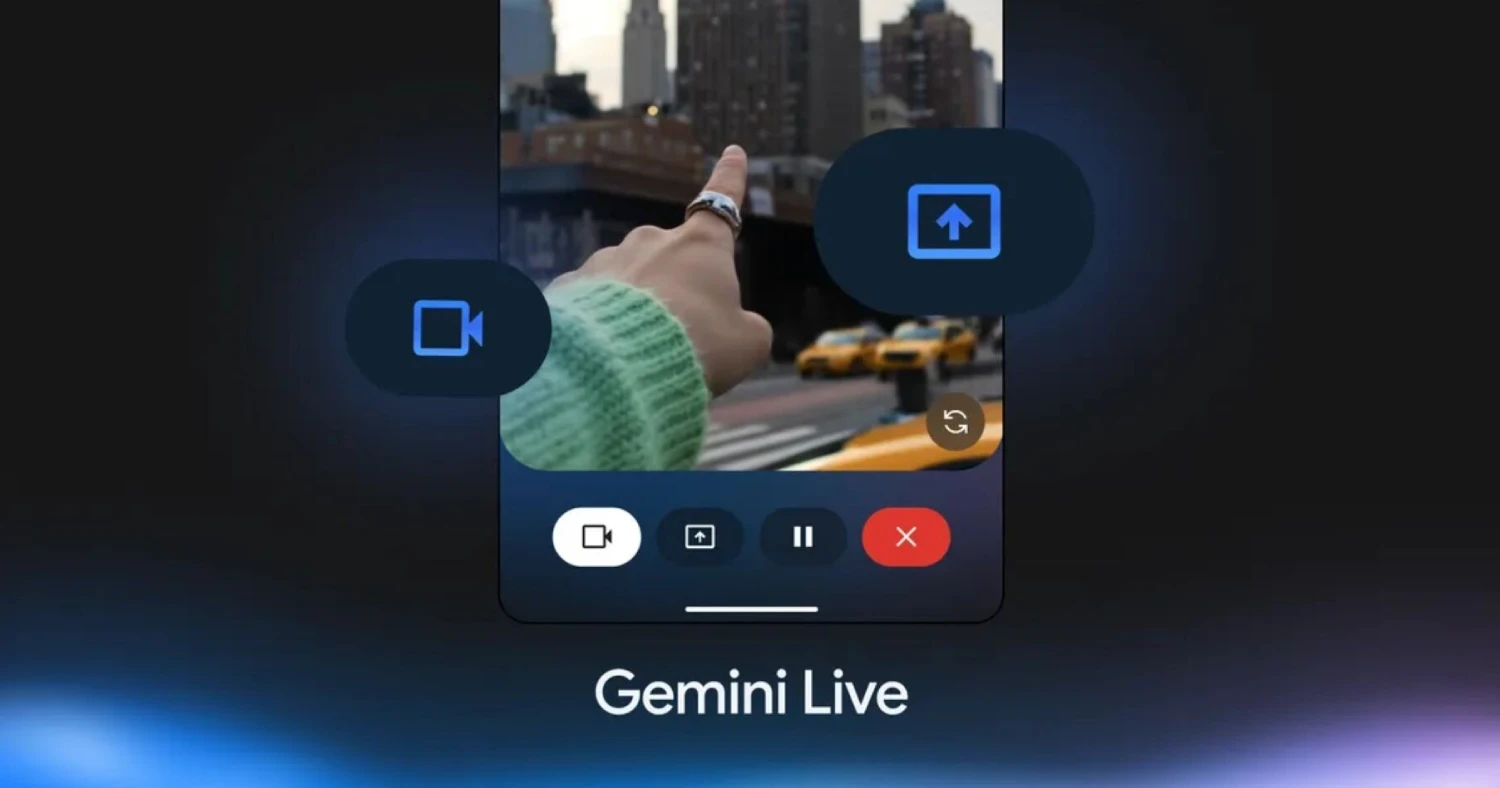
Gemini Live lets you have a natural, spoken conversation with Gemini — using your voice instead of typing. It’s particularly useful hands-free, when multitasking, or when you want to think aloud and have Gemini help you work through a problem.
Following the I/O 2026 redesign, Gemini Live is now folded directly into the core experience, allowing users to switch between typing and speaking without breaking context.
3. Deep Research: Multi-Source Research in Minutes
Deep Research is one of Gemini’s most impressive features for knowledge workers, students, and researchers. It searches across multiple sources, synthesizes the findings, and produces a structured, cited report — in a fraction of the time manual research would take.
Free users get 5 uses of Deep Research per month. For anyone doing regular research or competitive analysis, that runs out fast. Paid plans include significantly more.
Best for: Competitive analysis, academic research, market overviews, policy reviews, due diligence.
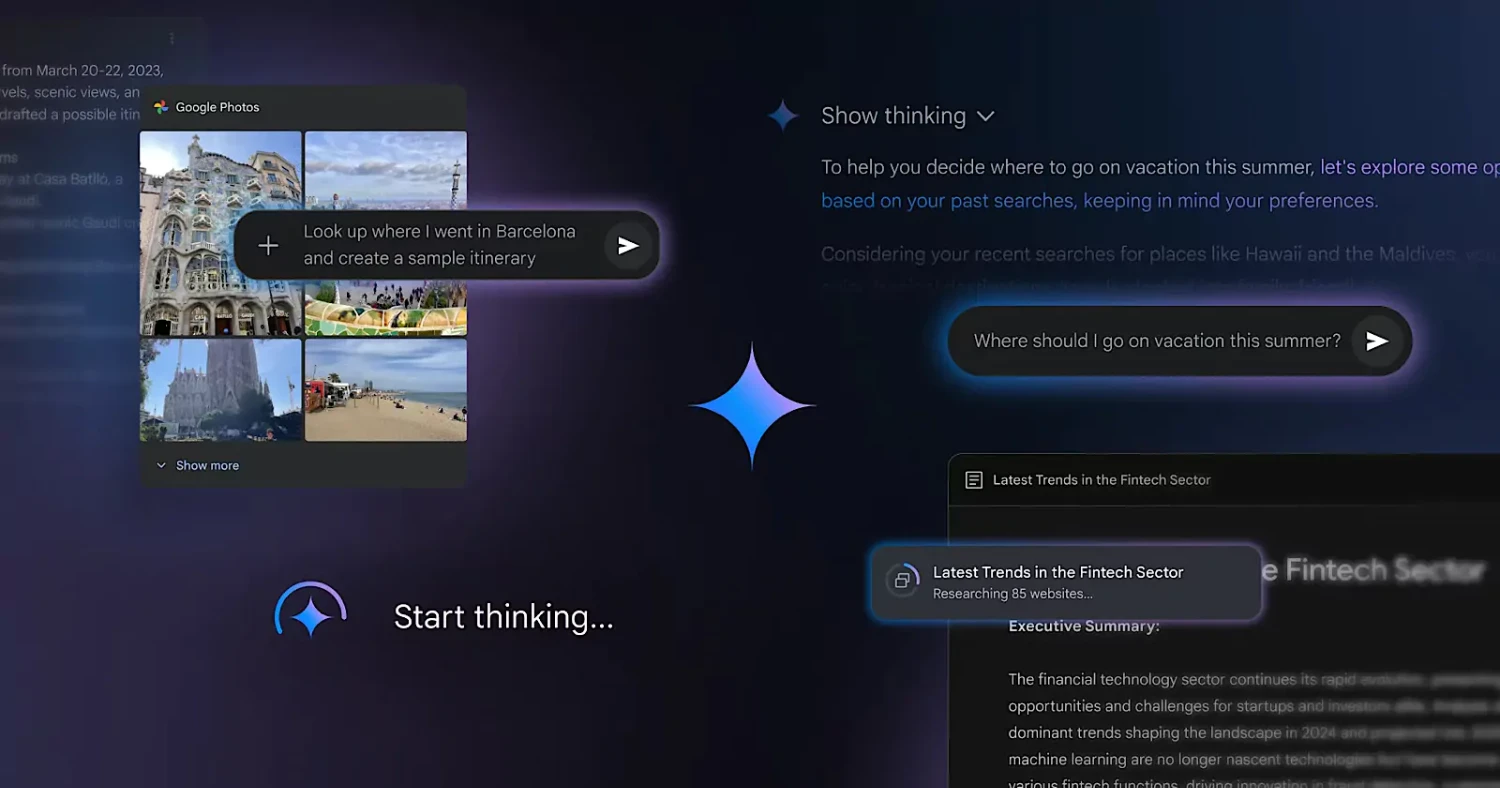
4. Gems: Your Personalized AI Assistants
Gems lets you create a personal AI assistant with a preset role — “Sales email reviewer,” “Meeting notes summarizer,” and so on. Once configured, it applies that role automatically without requiring you to re-explain context every session.
Think of Gems as custom versions of Gemini tuned to specific tasks or roles. You set them up once, and they’re ready to go every time.
Gems is available on the free plan as well as all paid plans. It is particularly useful for anyone with routine, repetitive tasks they want to delegate to AI.
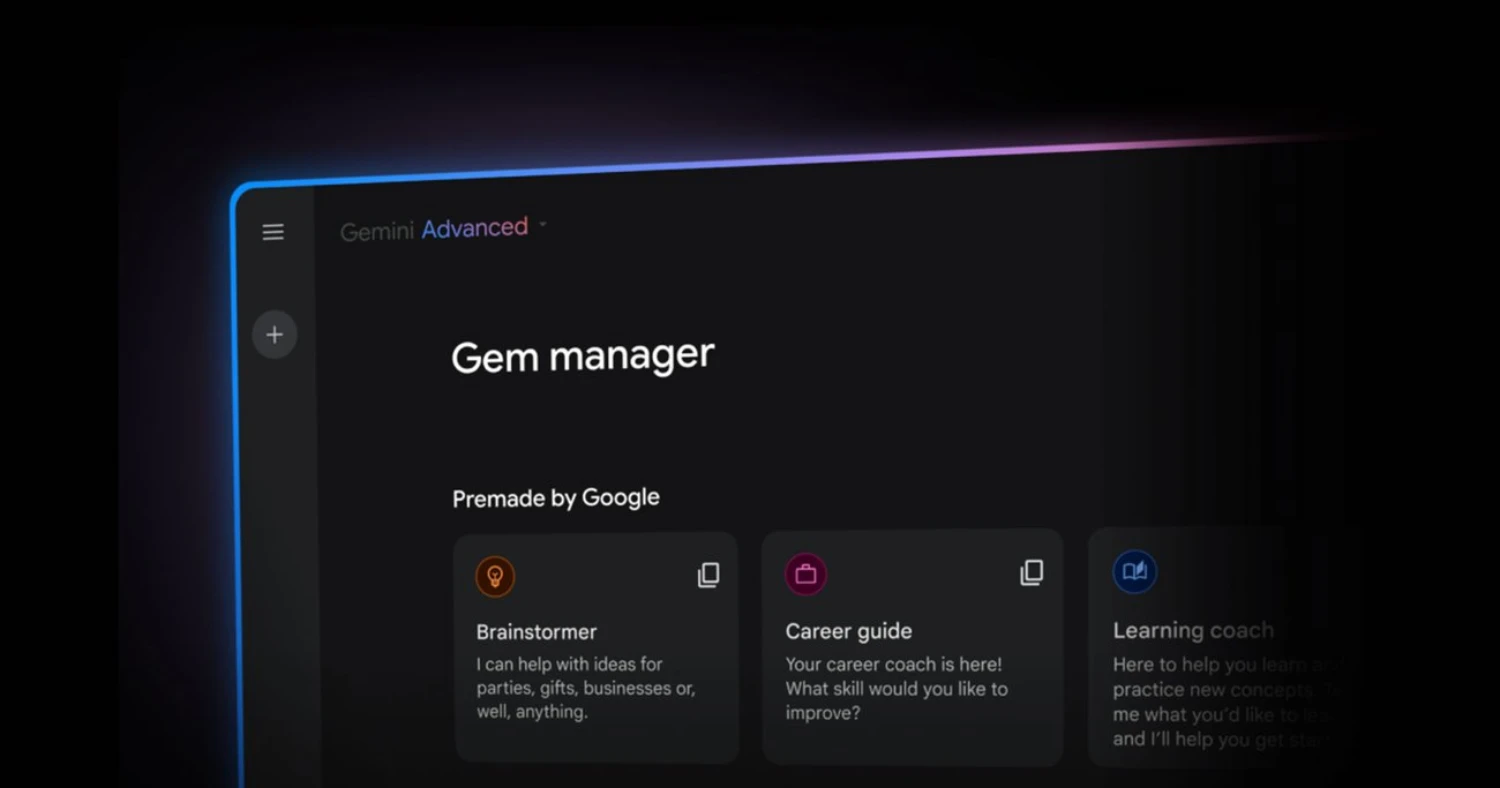
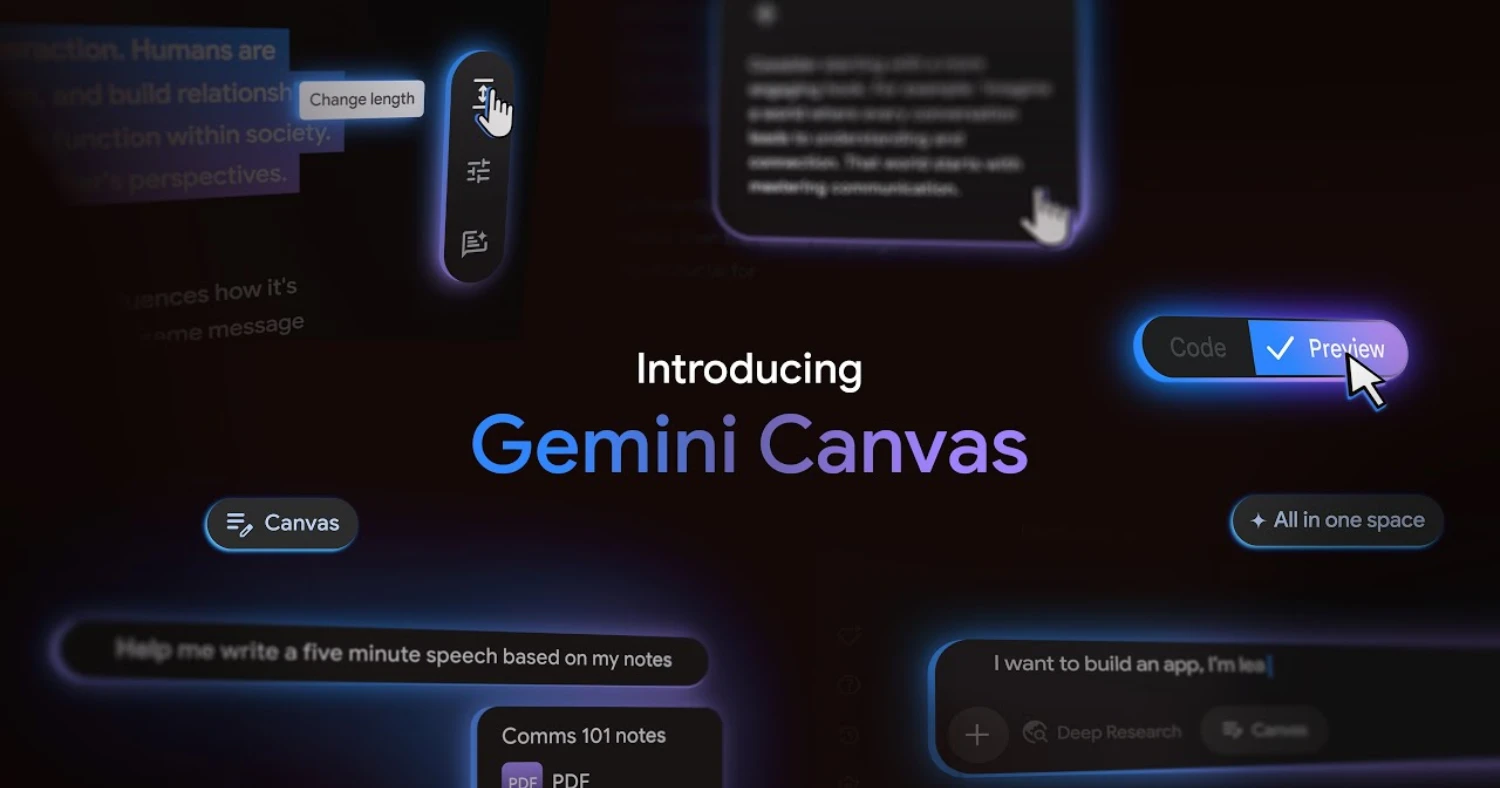
5. Canvas: Create, Edit, and Iterate Visually
Canvas is Gemini’s workspace for building and refining content interactively. Rather than producing a static response in the chat window, Canvas opens a side-by-side editor where you can see, edit, and iterate on documents, code, and other outputs in real time.
It’s particularly useful for writing projects, building interactive content, and developing code — especially when you want to make targeted edits without starting a new conversation.
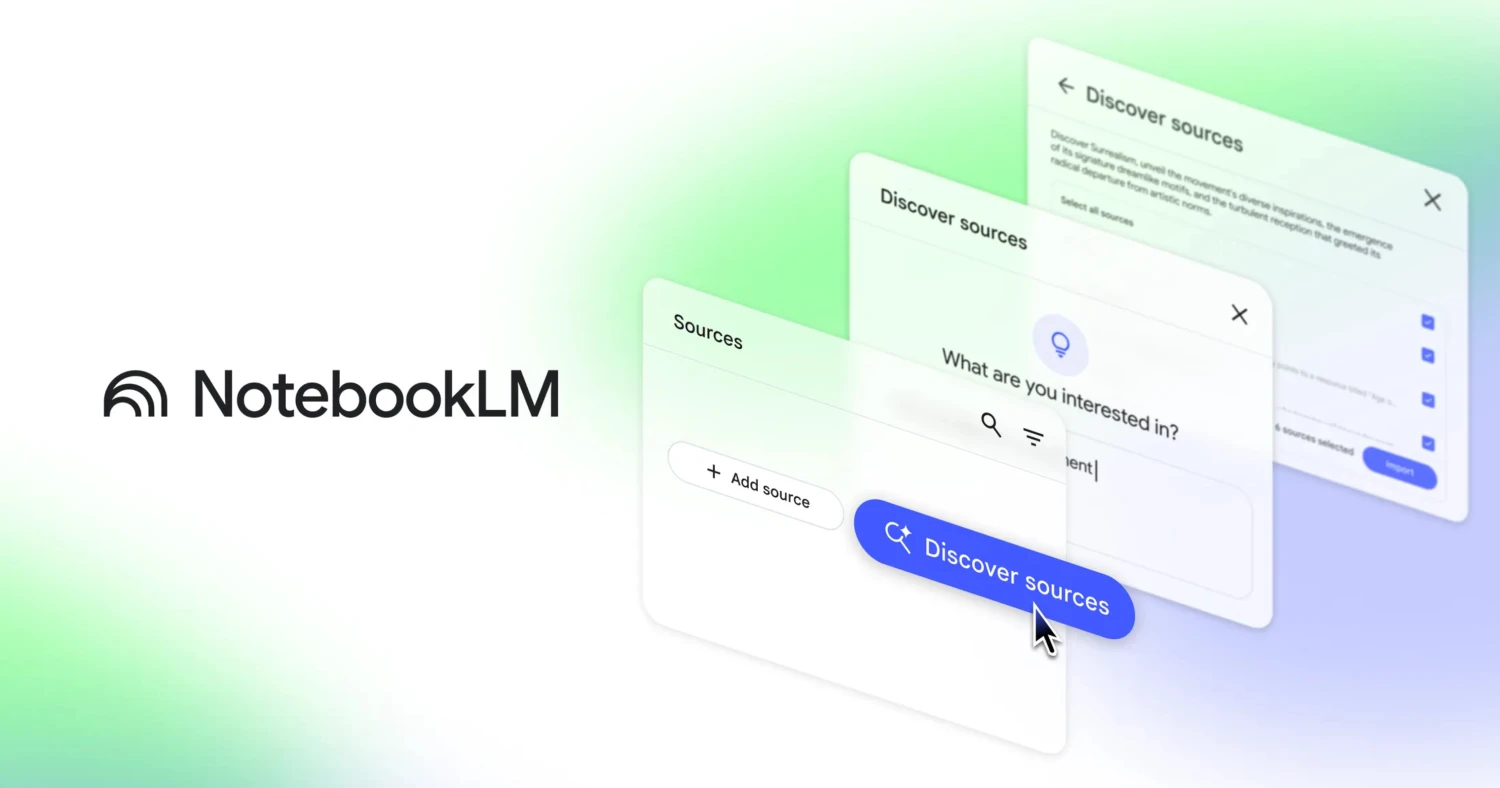
6. NotebookLM: Your Personal Research Assistant
NotebookLM is a companion tool to Gemini that functions as an AI-powered research notebook. You upload your own sources — PDFs, Google Docs, websites, YouTube videos — and NotebookLM analyses them, answers questions grounded in your specific documents, and generates summaries, audio overviews, and study guides.
The Gemini iOS app added NotebookLM integration in January 2026, allowing users to add notebooks to prompts and use other Gemini tools like Canvas, Veo, Guided Learning, or Deep Research based on notebook contents.
Best for: Researchers, students, professionals working with large volumes of documents.
7. Image and Video Generation
Gemini can generate images and video directly from the chat interface — no separate tool required.
For images, Gemini uses Google’s Nano Banana models (Gemini 3.1 Flash Image and Gemini 3 Pro Image are the current generally available versions). For video, the Pro plan includes video generation via Veo 3.1, with 1,000 monthly AI credits.
The newly announced Gemini Omni model takes this further, enabling generation of cinematic video from a combination of text, images, and existing clips — available to paid subscribers.

8. Google Workspace Integration
Gemini is two things at once: a standalone AI app for any task, and a set of AI features built directly into Google Workspace — Gmail, Docs, Drive, Sheets, Slides, Meet, and Chat.
In practice, this means:
- Gmail — Draft replies, summarize long threads, ask your inbox questions
- Google Docs — Generate first drafts, rewrite sections, summarize documents
- Google Sheets — Analyze data with natural language, generate formulas
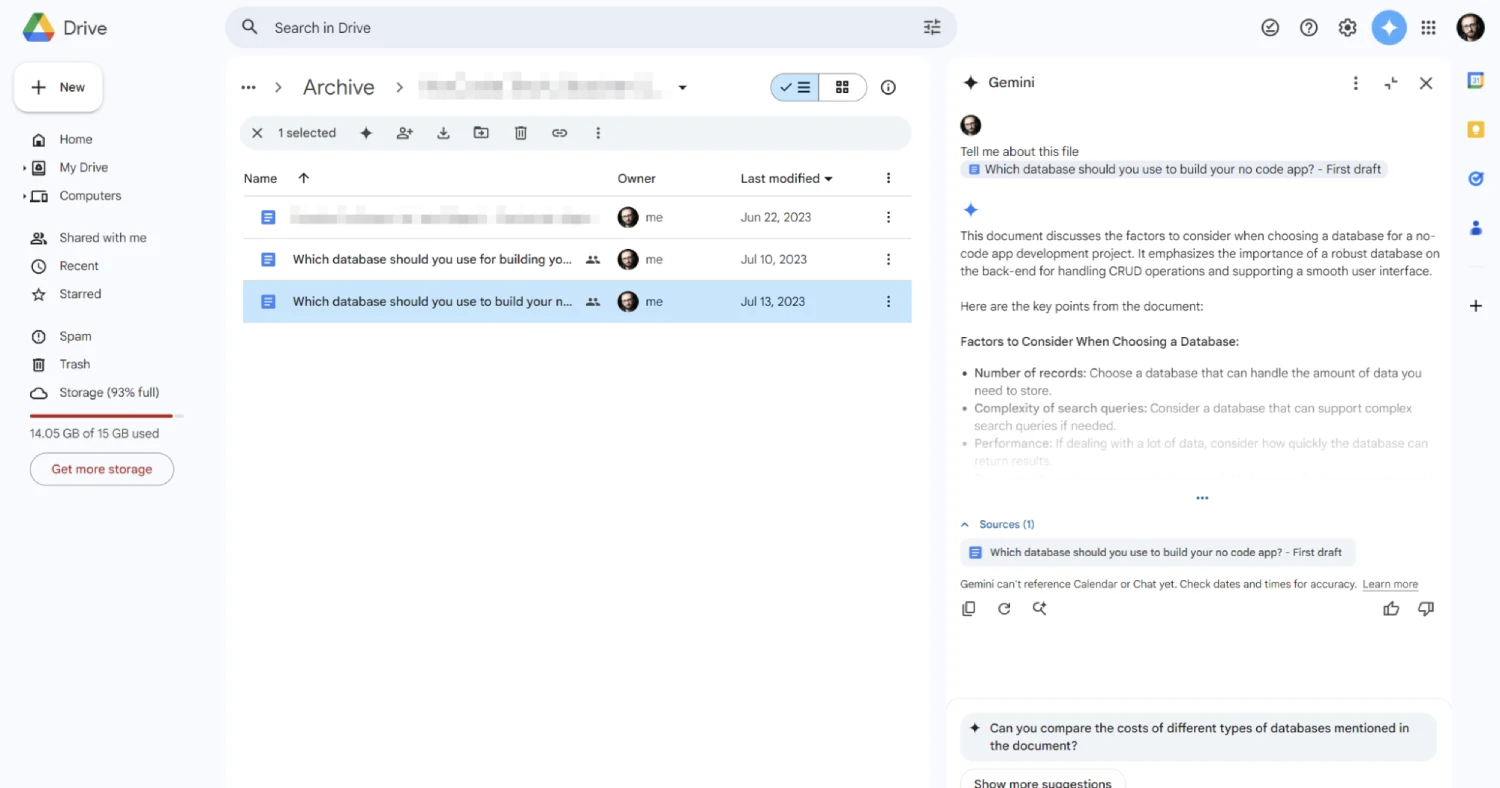
- Google Drive — Search across your files with AI-powered queries
- Google Slides — Generate presentations from a prompt or document
This integration is Gemini’s most significant differentiator over standalone AI tools like ChatGPT — your AI assistant lives inside the tools you’re already using.
Gemini vs Other AI Tools: Where It Fits
| Feature | Google Gemini | ChatGPT | Claude |
|---|---|---|---|
| Google Workspace integration | Native | Via plugins | Limited |
| Free tier | Yes | Yes | Yes |
| Voice mode | Yes (Gemini Live) | Yes | No |
| Video generation | Yes (Veo) | No | No |
| Web search (live) | Yes | Yes | Yes |
| Best strength | Google ecosystem, multimodal | Broad capability, plugins | Long documents, nuanced writing |
| Paid plan starts at | $7.99 USD/mo | ~$20 USD/mo | ~$20 USD/mo |
The honest answer: no single AI tool wins across every use case. Gemini’s clearest advantage is for anyone already living in the Google ecosystem — Gmail, Drive, Docs. If that’s you, Gemini is the most integrated and lowest-friction choice.
5 Practical Ways to Start Using Gemini Today
1. Summarize your email backlog In Gmail, use Gemini to summarize long threads or your entire inbox, and identify what needs a reply.
2. Draft your next document faster Open a new Google Doc and use Gemini to generate a first draft from a brief. Refine from there.
3. Research anything in minutes Use Deep Research to produce a cited overview of any topic you’re investigating — far faster than manual searching.
4. Create a Gem for your most repetitive task Set up a custom Gem for the task you do most often — whether that’s writing outreach emails, reviewing copy, or summarizing meeting notes.
5. Try Gemini Live for your commute or workout Have Gemini help you brainstorm, plan your week, or work through a problem — completely hands-free using voice.
Tips for Getting Better Results from Gemini
Be specific about what you want. “Write me an email” produces a generic result. “Write a polite, two-paragraph email declining a vendor meeting, maintaining the relationship for the future” produces something usable.
Give it context. The more context you provide — your role, your audience, the purpose, the tone — the more tailored the output.
Upload your documents. Gemini’s ability to read and reason about your specific files is one of its most powerful features. Don’t just ask generic questions — upload the actual document and ask about it directly.
Use follow-up prompts. A first response is rarely a final product. Follow up with “make it shorter,” “change the tone to be more casual,” or “add a section on X.”
Verify important information. Like all AI tools, Gemini can produce confident but inaccurate responses — especially for specific data, statistics, or recent events. Always verify consequential information from a primary source.
FAQs: Google Gemini for Beginners
-
What is Google Gemini in simple terms?
Google Gemini is Google’s AI assistant. You can chat with it, ask questions, get help writing, do research, generate images, and now have it manage tasks on your behalf — all from one app.
-
Is Google Gemini free to use?
Yes. Gemini has a free tier that includes access to Gemini 3.5 Flash, Gems, Canvas, Gemini Live, and limited Deep Research. No credit card required.
-
How do I access Google Gemini?
Go to gemini.google.com in any browser and sign in with your Google account. It’s also available as a mobile app on iOS and Android, and as a desktop app for macOS 15 and above.
-
What is Gemini 3.5 Flash?
Gemini 3.5 Flash is Google’s latest AI model, launched at Google I/O on May 19, 2026. It’s now the default model in the Gemini app — faster and more capable than its predecessor for everyday and agentic tasks.
-
What is Gemini Spark?
Gemini Spark is a 24/7 AI agent that works on your behalf — even when your device is off. It integrates with Gmail, Docs, and other Google apps to handle tasks autonomously. Currently in US-only beta for Google AI Ultra subscribers.
-
What is Gemini Live?
Gemini Live is the voice conversation feature within the Gemini app. It lets you speak to Gemini naturally and switch between voice and text mid-conversation without losing context.
-
What is the difference between Google AI Pro and Ultra?
Google AI Pro ($19.99/month) gives access to Gemini 3.1 Pro, 1,000 AI credits, and 5 TB storage. Google AI Ultra ($100/month) adds Gemini Spark access (US beta), 20x higher usage limits, and YouTube Premium Lite.
-
Can Gemini access my Gmail and Google Drive?
Yes, with your permission. Gemini can read and summarize your emails, search your Drive files, and draft content directly within Gmail and Docs when you enable the integration.
-
What is Deep Research in Gemini?
Deep Research is a feature that automatically searches across multiple sources, synthesizes findings, and produces a cited research report. Free users get 5 uses per month; paid plans include more.
-
What are Gems in Gemini?
Gems are customizable AI personas you create for specific tasks — like a writing reviewer, email drafter, or brainstorming partner. Once configured, they remember their role every session without you needing to re-explain it.
-
Is Gemini available in Canada?
Yes. The Gemini app and most features are available in Canada. Some newer features — including Gemini Spark and Daily Brief — are currently US-only and rolling out to other regions over time.
-
How is Google Gemini different from Google Search?
Google Search finds and links to existing web pages. Gemini generates original responses, synthesizes information, creates content, and takes actions. They’re increasingly integrated — Google Search now uses Gemini models to power AI Overviews.
-
Can Gemini generate images and video?
Yes. Gemini can generate images using Google’s Nano Banana image models and video using Veo (available on paid plans). The new Gemini Omni model generates cinematic video from text, image, and video inputs.
-
Does Google Gemini store my conversations?
Yes, by default. You can review and delete your Gemini activity through myactivity.google.com. You can also turn off activity saving in Gemini settings, though this affects the app’s ability to personalize responses.
-
What should I try first if I’ve never used Gemini?
Open the Gemini app, sign in with your Google account, and ask it to help with whatever task is in front of you right now — draft an email, summarize a document, explain a concept, or plan something. Five minutes of hands-on use teaches more than any guide.
What’s Coming Next
Google has signaled the direction clearly: Gemini is moving from a tool you open to a system that works alongside you continuously.
Google is repositioning Gemini as a continuous AI system that can understand context, anticipate needs, create media, and perform tasks with less direct instruction from users.
Gemini 3.5 Pro is currently in testing and expected to arrive in the coming weeks. Gemini Spark will expand beyond the US. And the integration between Gemini, Google Search, Chrome, and Android will deepen significantly through the rest of 2026.
For beginners, none of that changes the starting point: sign in, start a conversation, and see where it takes you.
Final Thoughts
Google Gemini has grown from a capable but unremarkable ChatGPT alternative into a genuinely distinct AI platform — one with a broader ecosystem, more multimodal capabilities, and now a proactive agent layer that no other consumer AI tool has fully matched.
For anyone already using Google’s products, it’s the most natural place to start with AI. For everyone else, it’s a compelling option with a free tier generous enough to explore seriously before committing to a paid plan.
The best way to understand Google Gemini for beginners is the same as it’s always been: open it, give it a task, and learn by doing.